

Microsoft Exchange Server
Seit dem 10. Oktober stehen neue Exchange 2016 und 2019 Security Updates bereit. Das Thema IIS Token Cache Module wurden mit dem Security Update noch einmal aufgenommen und verbessert.
Wer das IIS Token Cache Module mit dem August Update deaktiviert hat, kann dieses nun wieder aktivieren.
New-WebGlobalModule -Name “TokenCacheModule” -Image “%windir%\System32\inetsrv\cachtokn.dll”
Exchange 2016 2019 Security Update Oktober 2023
- CVE-2023-36778 | Microsoft Exchange Server Remote Code Execution Vulnerability
- CVE-2023-36434 | Microsoft Exchange Server Elevation of Privilege
Download der Security Updates KB5030877
- Download Security Update For Exchange Server 2019 Cumulative Update 13 SU 3
- Download Security Update For Exchange Server 2019 Cumulative Update 12 SU 10
- Download Security Update For Exchange Server 2016 Cumulative Update 23 SU10
Bekannte Probleme und Empfehlungen zu den Updates:
Keine bekannt…
Behobene Probleme mit diesem Update:
- Users in account forest can’t change expired password in OWA in multi-forest Exchange deployments af…
- Extended Protection causes Outlook for Mac to fail to download the OAB (we are releasing the new version of the Extended Protection script)
Logs zum Security Update:
Zur Fehleranalyse wird während der Installation des Security Updates nun auch eine Logdatei erzeugt. Mehr zum Thema New Exchange Server Security Update and Hotfix Packaging erfahrt ihr hier.
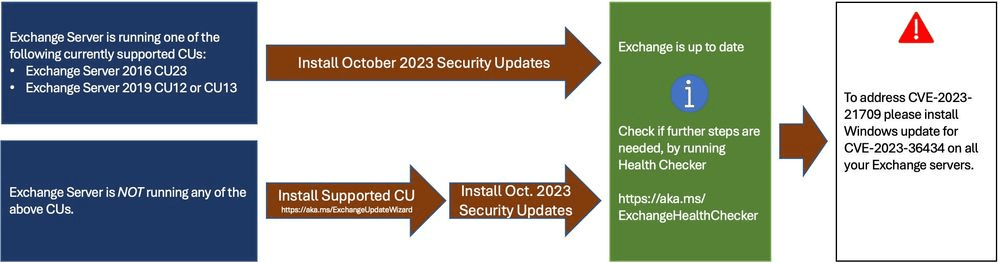
Installationshinweise zum Security Update
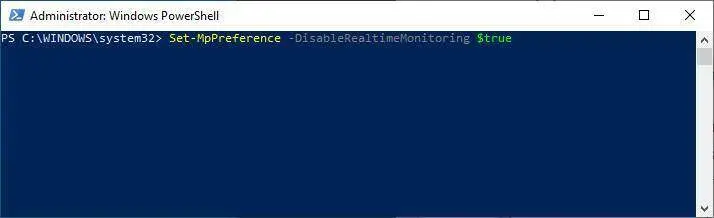
Zuerst sollte jegliche Anti-Viren-Software kurzzeitig deaktiviert werden. Der Windows Defender lässt sich mit diesem Befehl deaktivieren.
Set-MpPreference -DisableRealtimeMonitoring $true
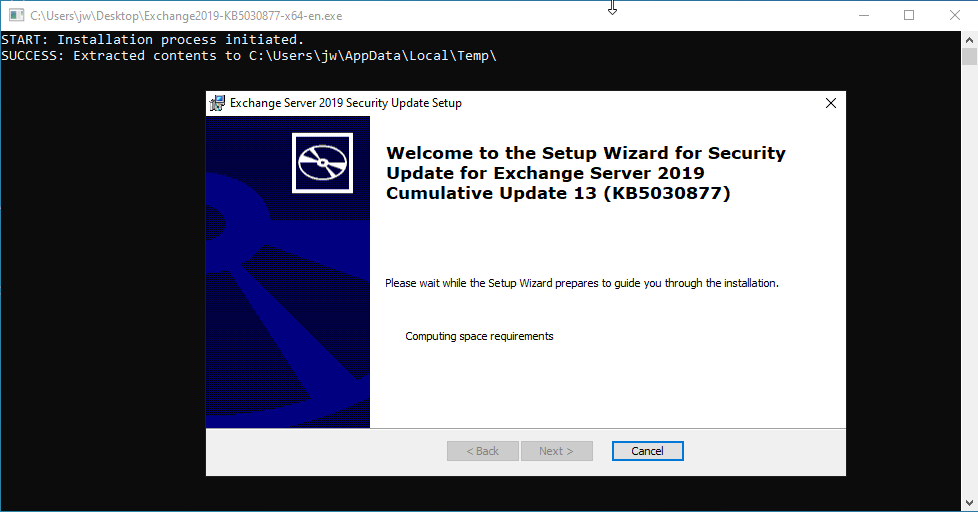
Das Update (.exe oder .msp) muss mit administrativen (elevated Rights) Rechten, wie sonst auch, installiert werden, sonst kann es passieren, das Dateien während des Installationsprozesses nicht korrekt ausgetauscht werden können. Falls das vergessen wird, kümmert sich neuerdings der Wrapper um die erhöhten Rechte, siehe Bild.

Exchange Funktionen prüfen
Nach erfolgter Installation sollte wie auch nach einem CU überprüft werden, ob die Exchange Dienste und Komponenten einwandfrei laufen.
Exchange Support:
Exchange Server 2019: Mainstreamsupports bis 09.01.2024
Exchange Server 2019: Erweiterter Support bis 14.10.2025
Exchange Server 2016: Mainstreamsupports bis 13.10.2020
Exchange Server 2016: Erweiterter Support bis 14.10.2025
Exchange Server 2013: Mainstreamsupports bis 10.04.2018
Exchange Server 2013: Erweiterter Support bis 11.04.2023
Exchange Versionsnummern:
| Product Name | Release Date | Build Number short | Build Number long |
|---|---|---|---|
| Exchange Server 2016 RTM | October 1, 2015 | 15.1.225.42 | 15.01.0225.042 |
| Exchange Server 2016 CU23 Oct25SU | October 14, 2025 | 15.1.2507.61 | 15.01.2507.061 |
| Exchange Server 2019 RTM | October 22, 2018 | 15.2.221.12 | 15.02.0221.012 |
| Exchange Server 2019 CU15 Oct25SU | October 14, 2025 | 15.2.1748.39 | 15.02.1748.039 |
| Exchange Server SE RTM | July 1, 2025 | 15.2.2562.17 | 15.02.2562.017 |
| Exchange Server SE RTM Oct25SU | October 14, 2025 | 15.2.2562.29 | 15.02.2562.029 |
| Exchange Server SE RTM Dec25SU | December 09, 2025 | 15.2.2562.35 | 15.02.2562.035 |
| Exchange Server SE RTM Feb26SU | February 10, 2026 | 15.2.2562.37 | 15.02.2562.037 |
Exchange Build Number abfragen
Get-ExchangeServer | Format-List Name,Edition,AdminDisplayVersion
Get-Command Exsetup.exe | ForEach {$_.FileVersionInfo}